• Compact Power: Choosing the Best Small Laptop Computers

    The Allure of Small Laptops: Why Size Matters

    In a world increasingly dominated by large screens and desktop replacements, the appeal of small laptop computers often gets overlooked. Yet, for a significant segment of users, these compact machines represent the pinnacle of portable computing. They are the silent workhorses for students rushing between classes, the indispensable travel companions for digital nomads, and the convenient tools for professionals who need to stay connected and productive without being weighed down.

    The primary driver behind the popularity of small laptops is, unequivocally, their portability. We’re talking about devices that can effortlessly slip into a backpack, a tote bag, or even a large purse. This isn’t just about convenience; it’s about enabling a mobile lifestyle. Imagine being able to work on a presentation during your commute, catch up on emails at a coffee shop, or stream your favorite show on a long flight without the bulk. Small laptops make these scenarios not just possible, but practical.

    Beyond sheer size, the “small” designation often implies a certain set of characteristics. These laptops tend to be lighter, consume less power (leading to longer battery life), and are generally more affordable than their larger counterparts. While they might not boast the raw processing power of a gaming behemoth, modern small laptops are remarkably capable, handling everyday tasks with impressive speed and efficiency.

    Defining “Small”: What Screen Size Are We Talking About?

    When we refer to “small laptop computers,” we’re generally talking about devices with screen sizes ranging from 10 inches up to, and sometimes including, 14 inches. Laptops with 10- and 11-inch displays are truly ultra-portable, often blurring the lines with tablets that have keyboard attachments. 12- and 13-inch models offer a slightly larger workspace without sacrificing significant portability, striking a popular balance for many users. 14-inch laptops can also be considered “small” if they feature very slim bezels, making the overall footprint comparable to older 13-inch models.

    The choice within this range often comes down to a trade-off between screen real estate and ultimate portability. A 10-inch screen will be cramped for extensive multitasking or detailed creative work, but it’s incredibly easy to carry. A 13-inch screen provides a more comfortable viewing experience for most tasks, while still being remarkably portable.

    Who Benefits Most from a Small Laptop?

    The user base for small laptops is diverse, but certain groups stand to gain the most:

    • Students: Lightweight and easy to carry across campus, small laptops are perfect for note-taking, research, and writing papers. Long battery life is also a significant plus for students who spend their days moving between lectures and study sessions.
    • Frequent Travelers/Commuters: Anyone who regularly travels or commutes will appreciate the reduced burden. Small laptops are ideal for in-flight entertainment, working on the go, and staying connected without the hassle of carrying heavy gear.
    • Casual Users: For those who primarily use their computer for web browsing, email, social media, and light productivity tasks, a small laptop offers more than enough power in a convenient package.
    • Secondary Computing Device: Many users opt for a small laptop as a secondary device to their main desktop or larger laptop. It serves as a convenient “couch computer” or a quick-access tool for tasks that don’t require a full-fledged workstation.

    Key Features to Consider When Buying a Small Laptop

    Navigating the market for a small laptop requires understanding the specific features that matter most in this category. Because compromises are often made to achieve a compact form factor, prioritizing the right specifications is crucial.

    1. Screen Quality and Resolution

    While screen size is the defining characteristic, the quality of that screen is paramount. A small screen can still be a pleasure to use if it offers good brightness, color accuracy, and a sharp resolution.

    • Resolution: Aim for at least Full HD (1920 x 1080 pixels). Anything less will result in a noticeably pixelated image, making text appear fuzzy and reducing the amount of content you can see on screen. Higher resolutions (like QHD or 4K) are available on some premium small laptops, offering exceptional clarity but also consuming more battery power.
    • Panel Type: IPS (In-Plane Switching) panels are generally preferred for their wide viewing angles and better color reproduction compared to TN (Twisted Nematic) panels. This means the colors and image quality remain consistent even when viewed from an angle, which is beneficial on smaller screens where you might naturally shift your position.
    • Brightness: Look for laptops with a brightness rating of at least 250-300 nits. Higher brightness levels (400+ nits) are better for working in well-lit environments or outdoors, preventing screen washout.
    • Touchscreen/2-in-1 Functionality: Many small laptops offer touchscreen capabilities, and some are convertible 2-in-1 designs that can fold into tablet mode. This adds versatility, allowing for touch-based navigation and stylus input, which can be particularly useful for note-taking or creative tasks. However, these features can add to the cost and sometimes the weight.

    2. Performance: CPU, RAM, and Storage

    Small laptops are not typically designed for heavy-duty tasks like video editing or high-end gaming. However, they need to be snappy enough for everyday computing.

    • Processor (CPU): For general use, Intel Core i3/i5 or AMD Ryzen 3/5 processors from recent generations offer a good balance of performance and efficiency. For ultra-budget or extremely basic use, Intel Pentium or Celeron processors might suffice, but expect slower performance. If you plan on doing more demanding tasks like light photo editing or running multiple applications simultaneously, aim for a Core i5 or Ryzen 5.
    • RAM (Memory): 8GB of RAM is the recommended minimum for a smooth multitasking experience. While 4GB might be sufficient for very basic tasks (web browsing, email), you’ll likely experience slowdowns when running multiple applications or browser tabs. 16GB offers even more headroom for demanding workloads and future-proofing.
    • Storage (SSD): An SSD (Solid State Drive) is non-negotiable for a responsive laptop experience. It drastically speeds up boot times, application loading, and file transfers compared to traditional HDDs (Hard Disk Drives). Aim for at least a 256GB SSD. 128GB can feel limiting very quickly, especially with modern operating systems and applications. 512GB or 1TB provides ample space for your files and programs.

    3. Battery Life: The Portable Promise

    One of the biggest advantages of small laptops is their potential for excellent battery life, thanks to smaller screens and often more power-efficient components.

    • Advertised vs. Real-World: Manufacturers often advertise optimistic battery life figures. Look for independent reviews that test battery life under realistic usage scenarios (e.g., web browsing, video playback).
    • Battery Capacity: While capacity (measured in Watt-hours, Wh) is a factor, it’s not the only determinant. Processor efficiency, screen brightness, and software optimization play significant roles.
    • Charging: Consider how the laptop charges. USB-C charging is becoming increasingly common and convenient, allowing you to use the same charger for multiple devices. Fast charging capabilities can also be a lifesaver when you’re short on time.

    4. Keyboard and Trackpad: Your Primary Interaction Points

    Since you’ll be interacting with your small laptop primarily through its keyboard and trackpad, their quality is crucial for a comfortable user experience.

    • Keyboard: Small laptops can sometimes feature cramped keyboards with shallow key travel, making typing uncomfortable. Look for reviews that specifically mention keyboard comfort and layout. Backlighting is a highly desirable feature for working in low-light conditions.
    • Trackpad: A responsive and accurate trackpad with good gesture support can significantly enhance usability, especially if you find yourself without a mouse. Look for a smooth surface and precise tracking.

    5. Ports and Connectivity

    The compact nature of small laptops often means a limited selection of ports. Carefully consider what connectivity options you need.

    • USB Ports: Ensure you have enough USB-A ports for your existing peripherals (mouse, external drives, etc.). USB-C ports are becoming standard and can be used for charging, data transfer, and display output, but you might need adapters or a docking station if you have many legacy devices.
    • HDMI/DisplayPort: If you plan to connect to external monitors or projectors regularly, an HDMI or DisplayPort output is essential.
    • SD Card Reader: Useful for photographers or anyone who frequently transfers files from cameras or other devices.
    • Wi-Fi and Bluetooth: Latest Wi-Fi standards (Wi-Fi 6/6E) offer faster and more reliable wireless connections. Bluetooth 5.0 or higher is standard for connecting wireless accessories.

    Top Small Laptop Computers in [Current Year]

    The market for small laptops is dynamic, with new models constantly emerging. Here are some of the consistently well-regarded options across different price points and use cases. (Note: Specific models and configurations change rapidly. Always check the latest available versions.)

    1. Best Overall: Apple MacBook Air (M-series chip)

    • Why it’s great: The MacBook Air, particularly models equipped with Apple’s M1, M2, or M3 chips, has redefined what a small, powerful, and portable laptop can be. It offers an exceptional balance of performance, battery life, build quality, and a stunning display. The fanless design means it’s completely silent, even under load. macOS is known for its user-friendliness and strong integration with other Apple devices.
    • Screen Size: 13.6-inch (M2/M3) or 13.3-inch (M1) Liquid Retina display.
    • Performance: The M-series chips deliver incredible performance-per-watt, easily handling everyday tasks, multitasking, and even some professional creative work.
    • Battery Life: Consistently offers 15+ hours of real-world usage.
    • Build Quality: Premium aluminum unibody construction.
    • Considerations: Higher starting price compared to many Windows alternatives. Limited port selection (typically two Thunderbolt/USB 4 ports). macOS ecosystem is a pro for some, a con for others.

    2. Best Windows Ultrabook: Dell XPS 13

    • Why it’s great: The Dell XPS 13 is a perennial favorite for Windows users seeking a premium, compact experience. It boasts an incredibly small footprint thanks to its near-borderless InfinityEdge display, a comfortable keyboard, and robust performance options. Dell offers various configurations to suit different needs and budgets.
    • Screen Size: 13.4-inch display with options for FHD+ or 4K+ resolutions, often with touch capabilities.
    • Performance: Configurable with the latest Intel Core i5 or i7 processors, ample RAM (up to 32GB), and fast NVMe SSDs.
    • Battery Life: Good, typically ranging from 8-12 hours depending on configuration and usage.
    • Build Quality: Machined aluminum chassis with a carbon fiber or woven glass fiber palm rest.
    • Considerations: Can be expensive in higher configurations. Limited port selection (typically two Thunderbolt 4 ports).

    3. Best Value: Acer Swift 3 / Acer Aspire 5 (Smaller Screen Variants)

    • Why it’s great: Acer consistently offers compelling options that provide excellent bang for your buck. The Swift series focuses on portability and premium feel at a more accessible price point, while the Aspire series offers great all-around performance for everyday users. Look for models with 13 or 14-inch screens.
    • Screen Size: Often available in 13.3-inch or 14-inch variants with Full HD resolution.
    • Performance: Typically equipped with capable Intel Core i3/i5 or AMD Ryzen 3/5 processors, 8GB RAM, and 256GB/512GB SSDs, providing solid performance for daily tasks.
    • Battery Life: Generally good, often in the 7-10 hour range.
    • Build Quality: Varies, but often features aluminum chassis for a more premium feel than similarly priced competitors.
    • Considerations: Keyboard and trackpad quality can be less refined than premium ultrabooks. Display brightness and color accuracy might not be top-tier.

    4. Best 2-in-1 Option: Microsoft Surface Pro 9 / Surface Laptop Go 3

    • Why it’s great:
    • Surface Pro 9: This is a powerful tablet that functions as a laptop when paired with its optional Type Cover keyboard. It offers incredible versatility, running full Windows applications. It’s extremely portable and offers stylus support.
    • Surface Laptop Go 3: A more traditional clamshell laptop that prioritizes affordability and portability. It features a compact design and a good keyboard, making it a great option for students or casual users.
    • Screen Size: Surface Pro 9: 13-inch PixelSense display. Surface Laptop Go 3: 12.4-inch PixelSense display.
    • Performance: Surface Pro 9 offers Intel Core i5/i7 options. Surface Laptop Go 3 uses Intel Core i5 processors, suitable for everyday tasks.
    • Battery Life: Decent, typically 8-10 hours for the Pro 9, and potentially longer for the Go 3 depending on usage.
    • Build Quality: Premium materials, typically aluminum or magnesium alloy.
    • Considerations: The Surface Pro requires purchasing the Type Cover and stylus separately, adding significantly to the cost. The Surface Laptop Go 3 has a taller 3:2 aspect ratio screen, which is great for productivity but less ideal for widescreen video. Both have limited port selection.

    5. Best Budget Option: Lenovo IdeaPad 3 / HP Pavilion Aero 13

    • Why it’s great:
    • Lenovo IdeaPad 3: Often one of the most affordable entry points into the small laptop market. You can find configurations with decent specs for basic tasks.
    • HP Pavilion Aero 13: This laptop punches above its weight, offering a surprisingly lightweight design (often under 1kg) and good performance for its price point, frequently featuring AMD Ryzen processors.
    • Screen Size: Typically 14-inch Full HD displays.
    • Performance: Look for models with at least an Intel Core i3/Ryzen 3, 8GB RAM, and an SSD. The Aero 13 often comes with more capable Ryzen processors.
    • Battery Life: Can be variable, aim for models known for better efficiency.
    • Build Quality: Usually plastic construction, but the Aero 13 often includes some aluminum for rigidity.
    • Considerations: Build quality and screen quality are generally compromised at this price point. Performance might be sluggish for demanding tasks.

    Making Your Choice: Factors Beyond Specs

    While specifications are important, several other factors should influence your decision when choosing a small laptop computer.

    Portability vs. Comfort: Finding Your Balance

    The core appeal of a small laptop is its portability. However, a device that’s too small can become uncomfortable to use for extended periods. Consider:

    • Typing Experience: Do you type a lot? If so, a slightly larger 13-inch or 14-inch screen with a comfortable keyboard might be better than a tiny 10-inch device.
    • Screen Real Estate: How much content do you need to see at once? If you frequently work with multiple windows open or deal with spreadsheets, a larger screen (or one with a higher resolution/taller aspect ratio) will be more beneficial.
    • Weight: While all small laptops are light, the difference between 2 lbs (0.9 kg) and 3 lbs (1.4 kg) can be noticeable when you’re carrying it around all day.

    Budget Considerations

    Small laptops span a wide price range.

    • Entry-Level (Under $500): Expect compromises in build quality, screen brightness/color, and processing power. Best suited for very basic tasks.
    • Mid-Range ($500 – $1000): This is the sweet spot for many users, offering a good balance of performance, build quality, and features. Many excellent Windows ultrabooks and capable MacBooks fall into this range (especially older or base models).
    • Premium ($1000+): You’re paying for top-tier build quality, superior displays, cutting-edge performance, and often enhanced features like touchscreens or 2-in-1 capabilities.

    Operating System Preference: Windows vs. macOS vs. ChromeOS

    • Windows: Offers the widest range of hardware and software compatibility. Most small laptops run Windows.
    • macOS: Known for its polished interface, strong performance (especially with Apple Silicon), and integration within the Apple ecosystem. Only available on MacBooks.
    • ChromeOS: Found on Chromebooks, this is a lightweight, cloud-focused operating system. Excellent for web-based tasks, Android apps, and generally very affordable and battery-efficient. However, it’s not suitable for traditional desktop applications.

    Common Pitfalls to Avoid

    When purchasing a small laptop, be aware of these common mistakes:

    • Ignoring RAM: Buying a laptop with only 4GB of RAM for anything beyond the most basic tasks is a recipe for frustration. Always aim for 8GB or more.
    • Opting for HDD Storage: Never buy a new laptop with a traditional Hard Disk Drive (HDD) as the primary storage. The performance difference with an SSD is night and day.
    • Overlooking Port Selection: Ensure the laptop has the ports you need for your essential peripherals. Relying solely on USB-C might require purchasing additional dongles.
    • Focusing Solely on Specs: A laptop with impressive specs can still be a poor user experience if the keyboard is uncomfortable, the screen is dim, or the build quality feels cheap. Read reviews!
    • Underestimating Battery Needs: If you plan to be away from a power outlet frequently, prioritize models known for long battery life.

    Conclusion: Your Perfect Portable Partner Awaits

    Small laptop computers offer a compelling proposition for anyone prioritizing portability without sacrificing too much capability. Whether you’re a student, a traveler, or simply someone who values a lightweight computing companion, there’s a perfect small laptop out there for you.

    By carefully considering screen quality, performance essentials (CPU, RAM, SSD), battery life, and your specific usage needs, you can confidently navigate the options. Don’t be afraid to explore different brands and models, read reviews, and weigh the trade-offs. The ideal small laptop is not just about the smallest size, but about finding the right balance of size, performance, and usability that fits seamlessly into your life.

    Actionable Steps:

    1. Define your primary use case: What will you mainly use the laptop for? (e.g., browsing, writing, light photo editing, streaming).
    2. Set your budget: This will help narrow down the field considerably.
    3. Prioritize key features: Based on your use case, decide if screen quality, battery life, keyboard comfort, or specific ports are most important.
    4. Read recent reviews: Look for reviews of specific models you’re interested in from reputable tech sites.
    5. Compare configurations: Ensure the RAM and storage meet your minimum requirements (8GB RAM, 256GB SSD minimum recommended).
  • Top 5 Best Sony Cameras for Video Beginners (YouTube & Vlogging Guide)

    If you’re starting YouTube, vlogging, or video content creation, choosing the right camera can make a huge difference. Sony has become the go-to brand for many creators due to its industry-leading autofocus, excellent video quality, and creator-friendly features.

    In this guide, we’ll break down the Top 5 Sony cameras for beginners, based on performance, ease of use, price, and long-term value.


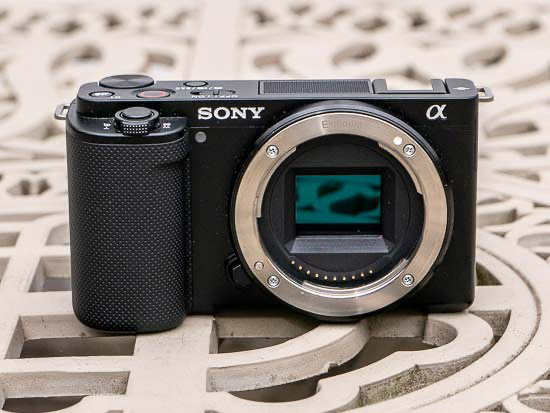
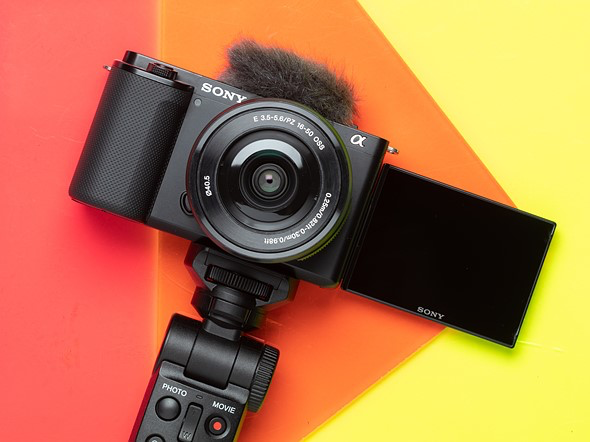
    1. Sony ZV-E10 — Best Overall Camera for Beginners ⭐

    Best for: YouTube, vlogging, beginners, content creators

    Key Features

    • Designed specifically for video creators
    • Exceptional autofocus with real-time face and eye tracking
    • Interchangeable lens system for future upgrades
    • Dedicated Background Defocus button for cinematic shots
    • Lightweight and compact body

    Pros

    • Excellent video quality for the price
    • Beginner-friendly controls
    • Expandable lens ecosystem
    • Great value for money

    Cons

    • No in-body image stabilization

    Why it’s recommended

    The ZV-E10 offers the best balance of performance, price, and usability. It’s widely considered the best entry-level camera for YouTube and video creators.


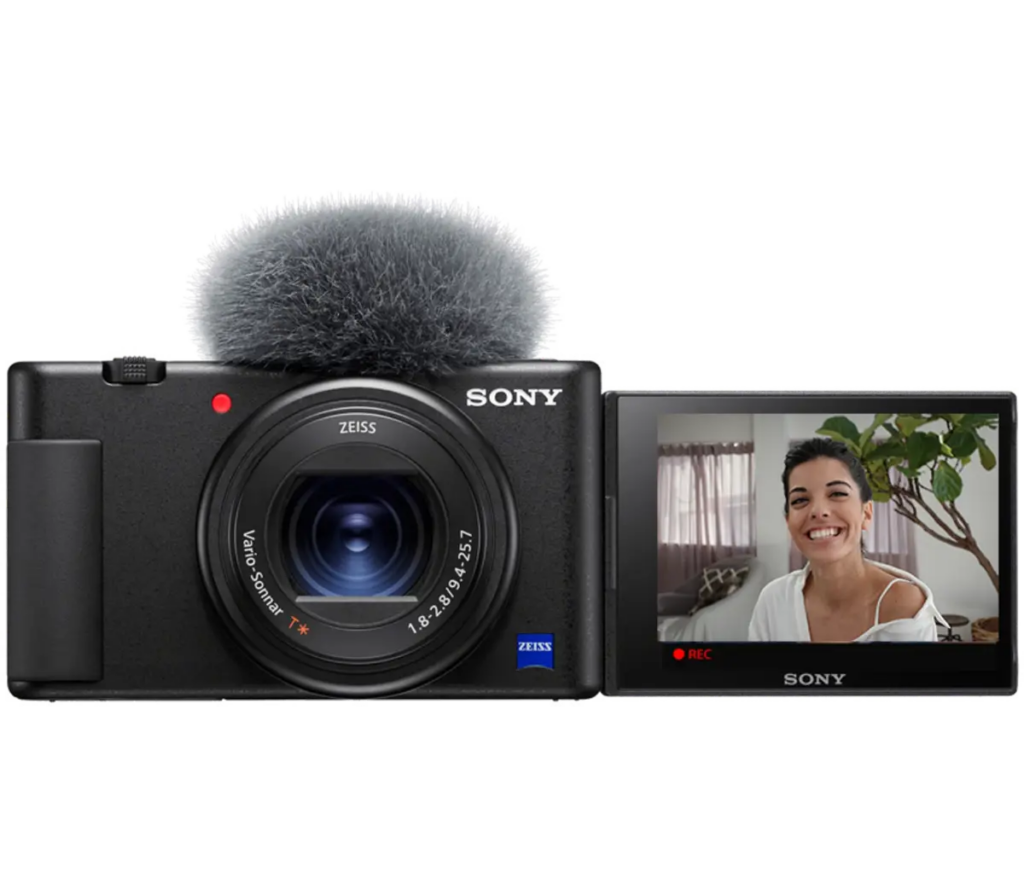
    2. Sony ZV-1 — Best Compact Camera for Vlogging

    Best for: Daily vlogging, travel creators, portability

    Key Features

    • Fixed lens optimized for video
    • Fast and accurate autofocus
    • Extremely compact and lightweight
    • Flip screen for easy self-recording

    Pros

    • No need to buy additional lenses
    • Easy to use
    • Perfect for handheld shooting

    Cons

    • No interchangeable lenses
    • Limited upgrade flexibility

    Why it’s recommended

    Perfect for beginners who want a simple, portable, all-in-one video solution.


    3. Sony A6400 — Best Hybrid Camera for Video and Photography

    Best for: Users who want both video and photography

    Key Features

    • Excellent real-time autofocus
    • Sharp 4K video recording
    • Interchangeable lens system
    • Reliable and proven performance

    Pros

    • Great balance between photo and video
    • Durable and reliable
    • Strong autofocus performance

    Cons

    • No in-body stabilization
    • Slightly older interface

    Why it’s recommended

    A great choice if you want flexibility between photography and video creation.


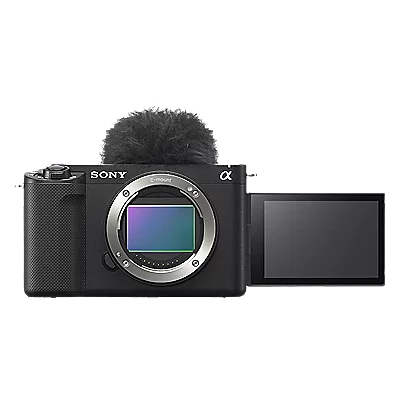
    4. Sony ZV-E1 — Best Full-Frame Camera for Serious Beginners

    Best for: Creators focused on maximum video quality

    Key Features

    • Full-frame sensor
    • Outstanding low-light performance
    • Professional-level video quality
    • Advanced AI autofocus system

    Pros

    • Incredible image quality
    • Excellent low-light performance
    • Professional video features

    Cons

    • Higher price point

    Why it’s recommended

    Ideal for creators who want cinematic video quality and professional-level performance.


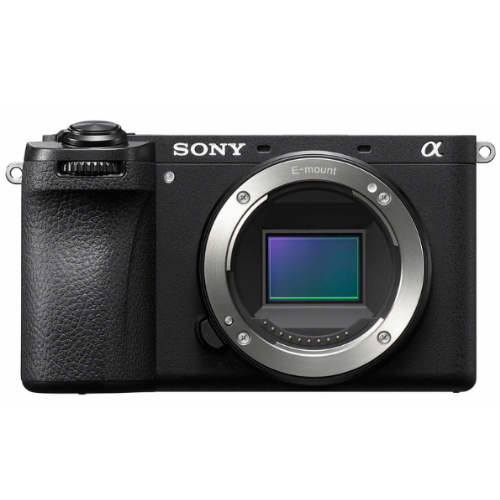
    5. Sony A6700 — Best Advanced APS-C Camera for Long-Term Use

    Best for: Beginners planning long-term content creation

    Key Features

    • Latest AI autofocus technology
    • In-body image stabilization
    • Excellent video and photo performance
    • Durable and modern design

    Pros

    • Strong overall performance
    • Built-in stabilization
    • Future-proof features

    Cons

    • Slightly higher price for beginners

    Why it’s recommended

    A powerful hybrid camera that can support creators from beginner to advanced levels.


    Quick Recommendation Guide

    Use CaseRecommended Camera
    Best overall beginner cameraSony ZV-E10
    Best for vlogging and portabilitySony ZV-1
    Best for video and photographySony A6400
    Best for cinematic video qualitySony ZV-E1
    Best long-term investmentSony A6700

    Final Verdict: Best Camera for Most Beginners

    If you choose only one camera, the Sony ZV-E10 is the best overall choice.

    It offers:

    • Excellent autofocus
    • High-quality 4K video
    • Beginner-friendly design
    • Affordable price
    • Upgrade flexibility

    It’s one of the most popular cameras among YouTube beginners and content creators worldwide.


    Conclusion

    Sony has built a strong reputation in the video creator market thanks to its advanced sensor technology, industry-leading autofocus, and creator-focused design.

    Whether you’re starting a YouTube channel, filming vlogs, or creating professional content, these cameras provide reliable performance and room to grow.

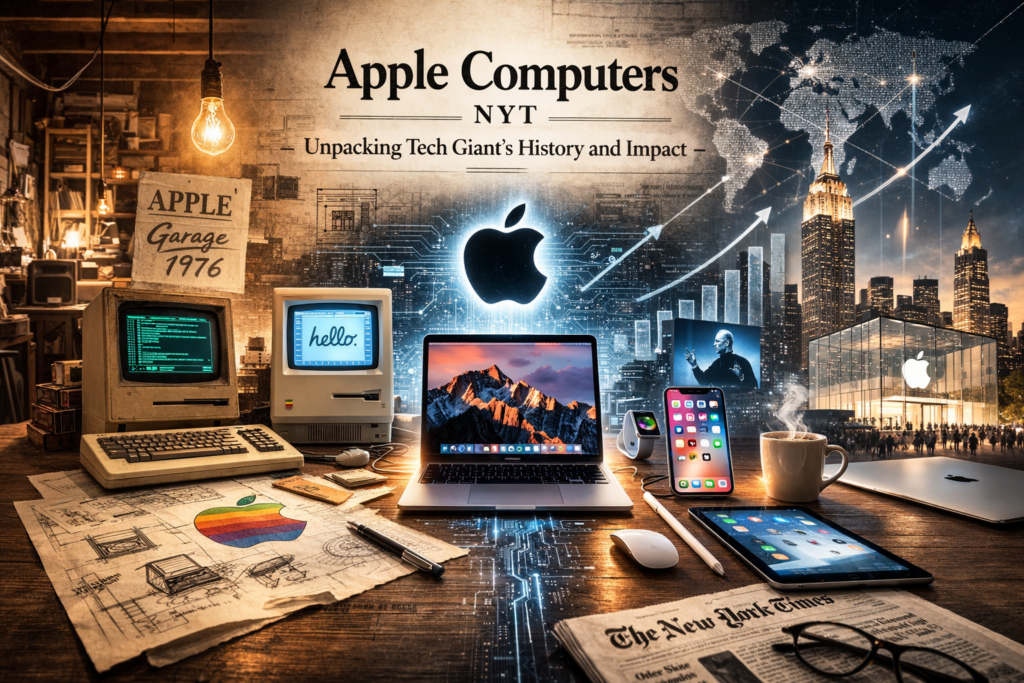
  • Apple Computers NYT: Unpacking Tech Giant’s History and Impact

    The Genesis of an Icon: Apple Computers Through the Eyes of The New York Times

    The story of Apple computers is not just a tale of technological advancement; it’s a narrative woven into the fabric of modern culture, and few publications have documented this journey as comprehensively as The New York Times. From the garage origins of Steve Jobs and Steve Wozniak to the sleek, ubiquitous devices we carry today, the NYT has been a consistent observer, critic, and chronicler of Apple’s meteoric rise and occasional stumbles. This exploration delves into the key moments, pivotal products, and the enduring legacy of Apple computers, as illuminated by the pages of one of America’s most influential newspapers.

    From Hobbyist Project to Personal Computing Pioneer

    In the mid-1970s, personal computing was a nascent, almost esoteric concept. The idea of a machine accessible to the average person, rather than just hobbyists or large corporations, was revolutionary. Apple Computer Company, founded in 1976, was at the forefront of this burgeoning movement. The New York Times, while perhaps not immediately recognizing the full scope of its future impact, began to report on this new wave of technology. Early articles would have likely focused on the novelty of these “microcomputers,” their potential applications, and the ambitious vision of their young founders.

    The introduction of the Apple II in 1977 marked a significant leap. It was one of the first mass-produced microcomputers with a color display and an open architecture, making it appealing to a wider audience, including educators and small businesses. The NYT would have covered its release, highlighting its user-friendly design and its potential to democratize computing. This period was characterized by a sense of optimism and a belief that technology could fundamentally change how people lived and worked.

    The Macintosh Revolution and the Dawn of the GUI

    The landscape of personal computing was dramatically altered with the introduction of the Macintosh in 1984. This was not just another computer; it was a paradigm shift. The Macintosh introduced the graphical user interface (GUI) and the mouse to the mainstream, concepts that would define personal computing for decades to come. The iconic “1984” Super Bowl commercial, directed by Ridley Scott, signaled Apple’s intent to challenge the established order, famously positioning the Macintosh as a liberator from the conformity represented by IBM’s dominance.

    The New York Times dedicated significant coverage to the Macintosh launch. Articles would have detailed its innovative features, such as the desktop metaphor, icons, and windows, explaining how these elements made computers more intuitive and accessible. The paper likely explored the debate around its higher price point compared to other machines, but also emphasized its potential to revolutionize creative fields like graphic design and publishing. The early days of the Mac were marked by both excitement and skepticism, a dynamic well-captured in the NYT’s reporting, which balanced technological marvel with market realities.

    Navigating Turbulent Waters: The 1990s and Beyond

    The 1990s proved to be a challenging period for Apple. Facing intense competition from Microsoft’s Windows operating system and a series of less successful product launches, the company experienced internal turmoil and a decline in market share. The New York Times chronicled these struggles, reporting on leadership changes, strategic missteps, and the company’s fight for survival. Articles from this era likely painted a picture of a company at a crossroads, grappling with its identity and its place in an increasingly competitive tech world.

    The return of Steve Jobs in 1997 marked a turning point. His vision and relentless pursuit of innovation revitalized Apple. The subsequent launch of the iMac in 1998, with its distinctive translucent, colorful design, was a bold statement and a commercial success. The NYT would have covered this comeback, highlighting Jobs’s charismatic leadership and Apple’s renewed focus on design and user experience. This period saw Apple shift from a computer company to a consumer electronics powerhouse, a transformation meticulously documented by the Times.

    The iPod, iPhone, and the Era of the Digital Hub

    The introduction of the iPod in 2001 and the iPhone in 2007 were watershed moments, not just for Apple, but for the entire technology industry and society at large. The iPod didn’t just play music; it revolutionized how we consume it, making digital music libraries portable and accessible. The iPhone, in turn, redefined the smartphone, merging communication, entertainment, and internet access into a single, elegant device.

    The New York Times provided extensive, often glowing, coverage of these groundbreaking products. Articles would have explored the technological innovations behind them, the business strategies that propelled their success, and their profound impact on culture and daily life. The paper likely debated the implications of the “app economy” fostered by the iPhone and the growing influence of Apple’s ecosystem. These reports cemented Apple’s image as a company that consistently pushed boundaries and anticipated consumer desires.

    Apple’s Enduring Impact on Technology and Culture

    The New York Times’ reporting over the decades consistently highlights Apple’s unique approach to technology. It’s a company that has prioritized design, user experience, and the integration of hardware and software. This focus has not only led to the creation of iconic products but has also profoundly influenced the design philosophy of countless other companies across various industries.

    The paper has often explored the cultural significance of Apple products, from their adoption in schools and creative professions to their role in shaping our digital identities. The NYT’s coverage has also delved into the business and economic implications of Apple’s success, examining its supply chain, its labor practices, and its role as one of the world’s most valuable companies. Through its reporting, The New York Times has provided readers with a comprehensive understanding of Apple’s journey, its triumphs, its challenges, and its indelible mark on the modern world.

    Key Milestones and Innovations Documented by the NYT

    • Apple II (1977): Early reports likely focused on its color graphics and accessibility, positioning it as a significant step in personal computing.
    • Macintosh (1984): The NYT extensively covered the launch, explaining the revolutionary GUI and the mouse, and discussing its potential impact on various industries. The “1984” ad was a major news item.
    • NeXT Acquisition and Steve Jobs’s Return (1997): Coverage detailed the dramatic events leading to Jobs’s comeback and the acquisition of NeXT, signaling a potential turnaround for Apple.
    • iMac (1998): The paper reported on the design innovation and commercial success of the iMac, marking Apple’s resurgence.
    • iPod (2001): NYT articles explored the impact of the iPod on the music industry and portable digital devices, highlighting its user-friendly interface and marketing genius.
    • iPhone (2007): The launch of the iPhone was a major news event, with the Times dissecting its revolutionary features, its potential to disrupt the mobile market, and the birth of the app ecosystem.
    • iPad (2010): Coverage focused on the creation of a new device category – the tablet – and its implications for computing, media consumption, and productivity.
    • Apple Watch (2015): Reports likely discussed Apple’s entry into the wearables market, its focus on health and fitness features, and its integration into the Apple ecosystem.
    • Services Expansion: As Apple has increasingly focused on services like Apple Music, Apple TV+, and iCloud, the NYT has reported on this strategic shift and its impact on Apple’s revenue streams and market position.

    The Business of Innovation: Apple’s Economic and Societal Footprint

    The New York Times has not shied away from examining the broader economic and societal implications of Apple’s dominance. Reports have delved into:

    • Supply Chain and Manufacturing: Investigations into Apple’s global manufacturing operations, including labor conditions and environmental impact, have been a recurring theme.
    • Antitrust Concerns: As Apple’s market power has grown, the NYT has covered various antitrust investigations and debates surrounding its App Store policies and its competitive practices.
    • Privacy and Security: The paper has reported on Apple’s stance on user privacy, its encryption policies, and its high-profile disputes with government agencies over data access.
    • Environmental Initiatives: Apple’s efforts towards sustainability, including its use of recycled materials and renewable energy, have also been a subject of NYT reporting.
    • The “Apple Ecosystem”: The Times has frequently analyzed how Apple’s integrated hardware, software, and services create a powerful ecosystem that fosters customer loyalty and drives continued sales.

    Challenges and Criticisms Documented by the NYT

    While often laudatory, The New York Times has also provided critical perspectives on Apple. These have included:

    • Pricing Strategies: The consistently premium pricing of Apple products has been a subject of discussion, with the NYT exploring whether the innovation justifies the cost.
    • “Walled Garden” Approach: Critics, often featured in NYT articles, have pointed to Apple’s closed ecosystem as limiting user choice and stifling competition.
    • Planned Obsolescence: Debates around the lifespan of Apple products and the company’s software update policies have been covered.
    • Labor Practices: As mentioned, reports on working conditions in factories that produce Apple products have raised significant ethical questions, with the Times playing a role in bringing these to public attention.
    • Market Dominance and Monopoly Concerns: The NYT has provided a platform for discussions about Apple’s immense market power and potential monopolistic tendencies.

    Looking Ahead: Apple’s Future Through the NYT Lens

    As Apple continues to evolve, The New York Times remains a crucial source for understanding its trajectory. Future reporting will likely focus on:

    • Augmented and Virtual Reality: Apple’s investments in AR/VR technologies, including potential new hardware like headsets, will undoubtedly be a significant area of coverage.
    • Automotive Technology: Rumors and developments surrounding Apple’s potential entry into the automotive industry, perhaps with an electric or autonomous vehicle, will be closely watched and reported.
    • Artificial Intelligence: The role of AI in Apple’s future products and services, and how it compares to competitors, will be a key topic.
    • Health and Wellness: Apple’s expanding focus on health features in its devices and services will likely continue to be a prominent theme.
    • Geopolitical and Regulatory Challenges: As a global tech giant, Apple will continue to face scrutiny from governments worldwide, and the NYT will be there to report on these complex issues.

    Conclusion: A Chronicle of Innovation and Influence

    The New York Times has served as an invaluable witness to the remarkable journey of Apple computers. From its revolutionary beginnings to its current status as a global technology leader, the paper’s reporting has offered readers deep insights into the company’s innovations, its business strategies, its cultural impact, and its ongoing evolution. By chronicling the successes, the challenges, and the controversies, The New York Times has helped shape our understanding of Apple and its profound influence on the digital age. For anyone seeking to understand the history and impact of Apple computers, the archives of The New York Times offer a rich and indispensable resource.

    Key Takeaways from NYT Coverage of Apple Computers:

    1. Innovation as a Constant: The NYT consistently highlights Apple’s relentless pursuit of groundbreaking technology and design.
    2. User Experience is Paramount: The paper has documented how Apple’s focus on intuitive interfaces and seamless integration has been a key differentiator.
    3. Steve Jobs’s Visionary Role: Reporting has frequently emphasized the singular impact of Steve Jobs’s leadership on Apple’s identity and success.
    4. Beyond Computers: The NYT has tracked Apple’s successful expansion into music, mobile devices, wearables, and services, transforming it into a multifaceted technology giant.
    5. Critical Scrutiny: Alongside praise, the paper has provided essential critical analysis of Apple’s business practices, ethical considerations, and market power.

    Further Exploration:

    • Search The New York Times Archives: For detailed articles and historical context, directly searching the NYT archives using terms like “Apple Computer,” “Steve Jobs,” “Macintosh,” and specific product names is highly recommended.
    • Books on Apple’s History: Many books have been written about Apple, often drawing on extensive journalistic sources, including The New York Times.

  • Samsung Electronics Share Price: Riding the AI Wave to New Heights

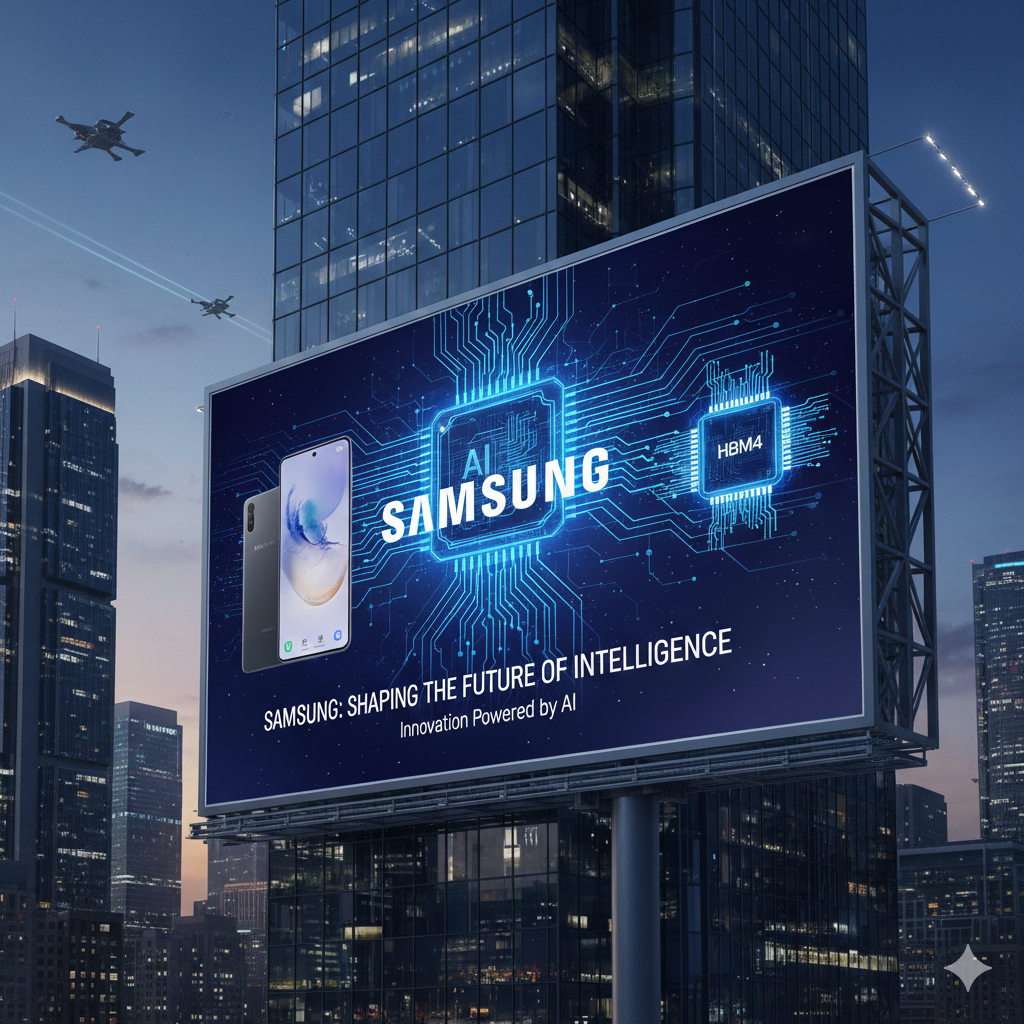
    If you’ve been keeping an eye on the South Korean stock market lately, you’ve likely noticed one name dominating the headlines: Samsung Electronics (005930.KS). As of late February 2026, the tech giant is witnessing a historic rally, with its share price recently surging past the ₩218,000 mark.

    For many retail investors, this is a “watershed moment.” To put this into perspective, just a few months ago, the market was celebrating “100,000-Samsung,” and now we are seeing levels that seemed like a distant dream. But what is actually driving this momentum? Let’s break down the factors fueling this surge and what it means for the general public.


    1. The “AI Memory” Gold Rush

    The biggest driver behind the current price action is Artificial Intelligence. Samsung isn’t just a phone maker; it is the world’s leading producer of memory chips. With the global explosion of AI infrastructure (think ChatGPT and its successors), the demand for High Bandwidth Memory (HBM) has skyrocketed.

    • HBM4 Shipments: Samsung has recently begun shipping its HBM4 products, aiming to reclaim its crown in the AI memory space.
    • Production Expansion: The company is ramping up its next-generation DRAM production capacity by nearly 70%to meet the insatiable appetite of AI giants like Nvidia and AMD.

    2. Strong Earnings and “Value-Up” Policies

    Samsung’s financial performance has been nothing short of robust. Analysts are projecting annual operating profits to potentially surpass ₩100 trillion in 2026.

    Beyond just profits, the South Korean government’s “Corporate Value-Up Program” has encouraged companies to improve shareholder returns. Samsung has responded with expanded treasury share cancellations and higher dividend payout ratios, making the stock more attractive to long-term institutional investors like the National Pension Service (NPS).

    3. The New Galaxy S26 Series

    While chips are the backbone, consumer tech still provides the “spark.” The recent launch of the Galaxy S26 series at the February 2026 Unpacked event in San Francisco introduced “Agentic AI”—AI that doesn’t just answer questions but performs tasks for you. The positive reception of these devices has provided an extra 5% jump in share prices during the launch week, proving that Samsung’s brand power remains elite.


    A Look at the Numbers (February 2026)

    MetricCurrent Status (Approx.)
    Share Price₩218,500
    52-Week High₩223,000
    Market Cap~₩1.4 Quadrillion
    Primary DriverAI Semiconductors (HBM4)

    Is there Still Room to Grow?

    While the rally has been “blistering,” many brokerage firms remain bullish. Some analysts suggest a 40% upside could still be on the table as the semiconductor cycle enters its peak. However, as with any high-flying stock, caution is advised. The market is currently keeping a close watch on:

    • Overheating Risks: Sharp gains often lead to short-term corrections.
    • Global Macro Factors: US-China trade relations and interest rate shifts still play a major role in tech valuations.

    Final Thoughts

    Samsung Electronics is no longer just a “safe” blue-chip stock for a rainy day; it has transformed into a high-growth engine at the center of the global AI revolution. Whether you are a long-time shareholder or just a curious observer, the “Great Recovery” of 2026 is a fascinating chapter in tech history.

    Would you like me to analyze a specific brokerage’s target price report or provide more details on the new Galaxy S26 features?

  • Cyber Monday Gaming Computer Deals: Your Ultimate Buyer’s Guide

    Unlock Unbeatable Savings: Your Cyber Monday Gaming Computer Strategy

    Cyber Monday is more than just a shopping event; for gamers, it’s a golden opportunity to upgrade their rig without breaking the bank. The sheer volume of deals can be overwhelming, but with a clear strategy, you can navigate the discounts and emerge with a powerful gaming computer that meets your needs and budget. This guide is your roadmap to scoring the best Cyber Monday gaming computer deals, ensuring you get the most value for your hard-earned money.

    Why Cyber Monday is a Gamer’s Dream

    Retailers understand that the holiday season is a crucial period for sales, and gaming computers are a hot commodity. To attract buyers and clear inventory, they roll out some of their most aggressive discounts of the year. This means you can often find significant price drops on pre-built systems, custom configurations, and even individual components that allow for a DIY build. The competition among retailers also drives down prices, creating a buyer’s market.

    Setting Your Budget and Needs: The Foundation of a Smart Purchase

    Before you even start browsing, the most critical step is defining your budget and understanding your gaming needs.

    Defining Your Budget

    • Be Realistic: Determine how much you can comfortably spend. Remember to factor in potential costs for peripherals like a monitor, keyboard, and mouse if you don’t already have them.
    • Consider Value: The cheapest option isn’t always the best. Look for deals that offer a good balance of performance and price. Sometimes, spending a little more upfront can save you from needing an upgrade sooner.

    Assessing Your Gaming Needs

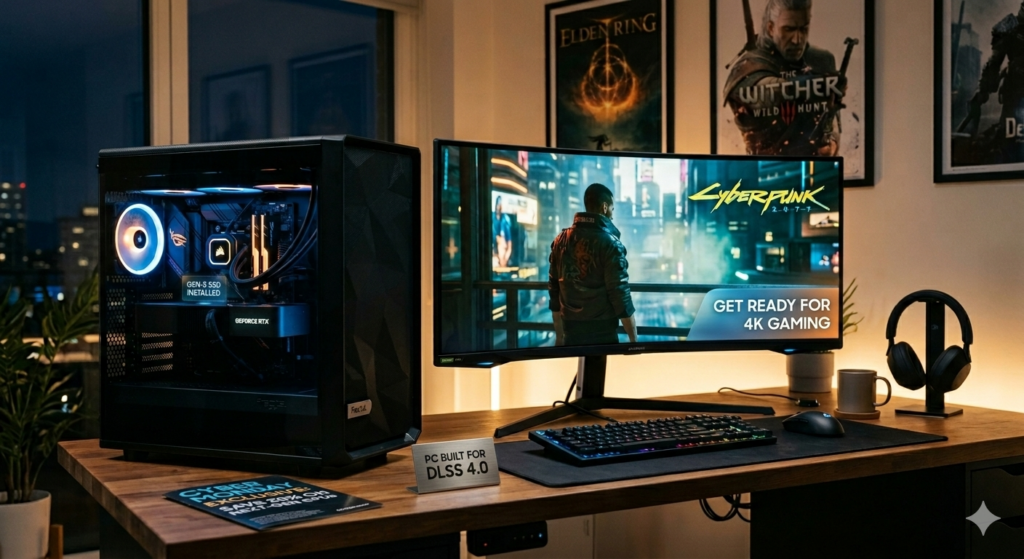
    • Game Types: What kind of games do you play? Esports titles like League of Legends or Valorant have lower hardware requirements than graphically intensive AAA games like Cyberpunk 2077 or Elden Ring.
    • Resolution and Refresh Rate: Do you aim for 1080p gaming at 60Hz, or are you looking for a smoother 1440p or 4K experience with high refresh rates (120Hz+)? This significantly impacts the GPU you’ll need.
    • Future-Proofing: While impossible to perfectly future-proof, consider components that will remain relevant for at least a few years. This might mean opting for a slightly more powerful CPU or GPU than you currently need.

    Decoding the Specs: What to Look For in a Gaming Computer

    Understanding the key components of a gaming computer is essential to making an informed purchase. Cyber Monday deals will often highlight these specs, so knowing what they mean will help you compare options effectively.

    The Heart of the Machine: CPU and GPU

    • Central Processing Unit (CPU): The CPU handles game logic, AI, and other background processes.
    • Intel: Look for Core i5, i7, or i9 processors from recent generations (e.g., 12th, 13th, or 14th Gen). For most gamers, a Core i5 offers excellent performance for the price.
    • AMD: Ryzen 5, Ryzen 7, or Ryzen 9 processors are the equivalents. Ryzen 5 is a strong contender for budget to mid-range builds, while Ryzen 7 and 9 offer higher core counts and clock speeds for demanding tasks.
    • Graphics Processing Unit (GPU): This is arguably the most critical component for gaming performance, as it renders the visuals.
    • NVIDIA: GeForce RTX series (e.g., RTX 3060, 3070, 3080, 4060, 4070, 4080, 4090) are popular. Higher numbers generally indicate better performance.
    • AMD: Radeon RX series (e.g., RX 6600 XT, 6700 XT, 6800 XT, 7700 XT, 7800 XT, 7900 XT/XTX).
    • Key Specs: VRAM (Video RAM) is crucial. 8GB is a minimum for modern gaming, with 12GB or 16GB being ideal for higher resolutions and settings.

    Memory and Storage: Speed and Capacity Matter

    • RAM (Random Access Memory): This is where your system stores data for currently running applications.
    • Capacity: 16GB is the standard for modern gaming. 32GB is beneficial for multitasking, streaming, or very demanding games.
    • Speed: DDR4 is common, but DDR5 is becoming the standard for newer systems. Faster RAM can offer minor performance boosts.
    • Storage: Where your operating system, games, and files are stored.
    • SSD (Solid State Drive): Essential for fast boot times and game loading. NVMe SSDs are significantly faster than SATA SSDs.
    • Capacity: A 500GB SSD is a minimum, but 1TB or larger is highly recommended given the increasing size of game installations. A secondary HDD (Hard Disk Drive) can be a cost-effective way to add mass storage for less frequently accessed files.

    Motherboard, Power Supply, and Cooling: The Supporting Cast

    • Motherboard: Connects all components. Ensure it’s compatible with your chosen CPU (socket type) and RAM (DDR4/DDR5). Look for features like sufficient USB ports and Wi-Fi if needed.
    • Power Supply Unit (PSU): Provides power to all components. It’s crucial to have enough wattage for your system, with some headroom for upgrades. Look for 80 Plus Bronze, Gold, or Platinum certification for efficiency and reliability.
    • Cooling: Gaming components generate heat.
    • CPU Cooler: Stock coolers are often basic. Aftermarket air coolers or AIO (All-In-One) liquid coolers offer better thermal performance, allowing your CPU to run at optimal speeds.
    • Case Fans: Ensure your computer case has adequate airflow with multiple intake and exhaust fans.

    Pre-built vs. Custom Build: Which is Right for You on Cyber Monday?

    Cyber Monday offers deals on both pre-built gaming PCs and components for custom builds. Each has its advantages.

    Pre-built Gaming Computers: Convenience and Potential Savings

    • Pros:
    • Ready to Go: Out of the box, plug it in, and start gaming.
    • Warranty: Typically comes with a full system warranty.
    • Bundled Deals: Often include operating system and sometimes even peripherals.
    • Potential for Deep Discounts: Manufacturers and retailers often heavily discount pre-built systems to move inventory.
    • Cons:
    • Component Compromises: Retailers might cut corners on less visible components like the PSU, motherboard, or RAM speed to hit a price point.
    • Limited Customization: You’re generally stuck with the configuration offered.
    • Bloatware: Often come with pre-installed software you may not want.
    • What to Look For:
    • Reputable Brands: Dell (Alienware), HP (Omen), Lenovo (Legion), ASUS (ROG), MSI, CyberPowerPC, iBUYPOWER.
    • Clear Component List: Don’t buy if they don’t list the specific CPU, GPU, RAM, and storage.
    • Good GPU/CPU Balance: Ensure the graphics card is appropriately powerful for the CPU.

    Custom Builds: The Ultimate Control and Value (If You DIY)

    • Pros:
    • Tailored to Your Needs: You choose every single component.
    • Best Value for Money: You can often get more performance for the same price by picking components yourself, especially during sales.
    • Upgradeability: Easier to upgrade individual parts later.
    • Learning Experience: Building a PC is a rewarding skill.
    • Cons:
    • Time and Effort: Requires research, purchasing individual parts, and assembly.
    • Troubleshooting: If something goes wrong, you need to diagnose it yourself.
    • Warranty: Each component has its own warranty, not a single system warranty.
    • What to Look For:
    • Component Sales: Cyber Monday is perfect for snagging individual components (GPUs, CPUs, SSDs) at a discount.
    • Compatibility: Use PCPartPicker.com to ensure all your chosen parts are compatible.

    Navigating Cyber Monday Deals: Tips for Success

    The deals can be fierce, and popular items sell out fast. Here’s how to maximize your chances of snagging a great gaming computer.

    Research Before the Sale

    • Identify Target Models/Components: Know which specific CPUs, GPUs, or pre-built systems you’re interested in.
    • Check Current Prices: Understand the typical price range for the hardware you want. This helps you spot a genuine deal versus a minor price fluctuation. Use price tracking tools if available.
    • Read Reviews: Look for reviews of the specific pre-built models or components you’re considering.

    Be Ready on Cyber Monday

    • Create Accounts: Have accounts set up with major online retailers (Amazon, Best Buy, Newegg, etc.) with your payment information saved for faster checkout.
    • Bookmark Deals: If retailers release Black Friday/Cyber Monday ads early, bookmark the specific product pages for items you want.
    • Act Fast: High-demand items, especially GPUs and complete gaming PCs, will sell out within minutes or hours. Be prepared to click “buy” as soon as you see a deal you like.
    • Consider Different Retailers: Deals can vary significantly. Check multiple sites throughout the day.

    Don’t Forget Peripherals and Upgrades

    • Monitors: A high refresh rate monitor (120Hz+) is crucial to fully appreciate the power of a new gaming PC. Cyber Monday often has deals on these.
    • Keyboards and Mice: Mechanical keyboards and gaming mice can enhance your experience.
    • Headsets: Good audio is vital for immersion and communication.
    • Storage Upgrades: If a deal comes with a smaller SSD, consider buying a larger one separately during the sale.

    Common Pitfalls to Avoid

    Even with the best intentions, it’s easy to fall into common traps when hunting for deals.

    Pitfall 1: The “Too Good to Be True” Deal

    • Problem: Extremely low prices on high-end components or systems often indicate refurbished, used, or counterfeit products, or simply a scam.
    • Solution: Stick to reputable retailers and brands. If a deal seems impossibly low, it probably is. Check the seller’s reputation if buying from a marketplace.

    Pitfall 2: Overpaying for Aesthetics

    • Problem: Excessive RGB lighting, flashy cases, or brand names can inflate the price without adding significant performance.
    • Solution: Prioritize the core components (CPU, GPU, RAM, SSD). You can always add RGB later if desired.

    Pitfall 3: Ignoring PSU Quality

    • Problem: A cheap, low-quality power supply can be unstable, damage other components, or fail prematurely.
    • Solution: Always check the PSU wattage and efficiency rating (80 Plus Bronze or higher is recommended). If a pre-built doesn’t specify the PSU brand/model, be wary.

    Pitfall 4: Bottlenecking

    • Problem: Pairing a very powerful GPU with a weak CPU (or vice-versa) means one component will hold back the other, leading to suboptimal performance.
    • Solution: Research CPU/GPU pairings. For example, a high-end RTX 4090 needs a powerful CPU like a recent i7/i9 or Ryzen 7/9 to perform at its best.

    The Future of Gaming PCs and Cyber Monday Trends

    As technology advances, so do gaming PCs. Cyber Monday reflects these trends.

    Emerging Technologies

    • AI Integration: AI is increasingly used in games for better NPCs and world generation. Future PCs might leverage AI hardware more directly.
    • Ray Tracing: This technology provides more realistic lighting and reflections, demanding more powerful GPUs. Expect deals on GPUs that excel at ray tracing.
    • Faster Storage: PCIe 5.0 SSDs are starting to appear, offering even faster load times, though their real-world gaming impact is still debated.

    What to Expect in Cyber Monday Deals

    • Focus on Mid-Range: While high-end deals exist, the sweet spot for Cyber Monday savings is often in the mid-range segment (e.g., RTX 4060/4070, Ryzen 5/7, Core i5/i7). These configurations offer a great balance of performance and affordability for the majority of gamers.
    • Bundles: Expect more bundles including games, software, or peripherals with pre-built systems.
    • Component Sales: GPUs, CPUs, and SSDs will likely see significant discounts, making it an excellent time for DIY builders.

    Conclusion: Your Cyber Monday Gaming Computer Triumph

    Cyber Monday presents an unparalleled opportunity for gamers to upgrade their setup. By understanding your needs, researching components, being prepared, and avoiding common pitfalls, you can secure a powerful gaming computer at a fraction of its usual cost. Don’t let the excitement of the sale lead to an impulsive purchase; a little planning goes a long way.

    Key Takeaways for Cyber Monday Gaming PC Shopping:

    1. Define Your Budget and Needs: Know exactly what you want to achieve and how much you can spend before browsing.
    2. Prioritize GPU and CPU: These are the most critical components for gaming performance. Research compatible and balanced pairings.
    3. Be Ready to Act Fast: Popular deals disappear quickly. Have your accounts and payment information ready.

    Happy hunting, and may your Cyber Monday be filled with incredible gaming computer deals!

  • Samsung Galaxy S26 Ultra: Design Evolution — What’s New?

    Samsung Galaxy S26 Ultra: The Wait is Over! All You Need to Know

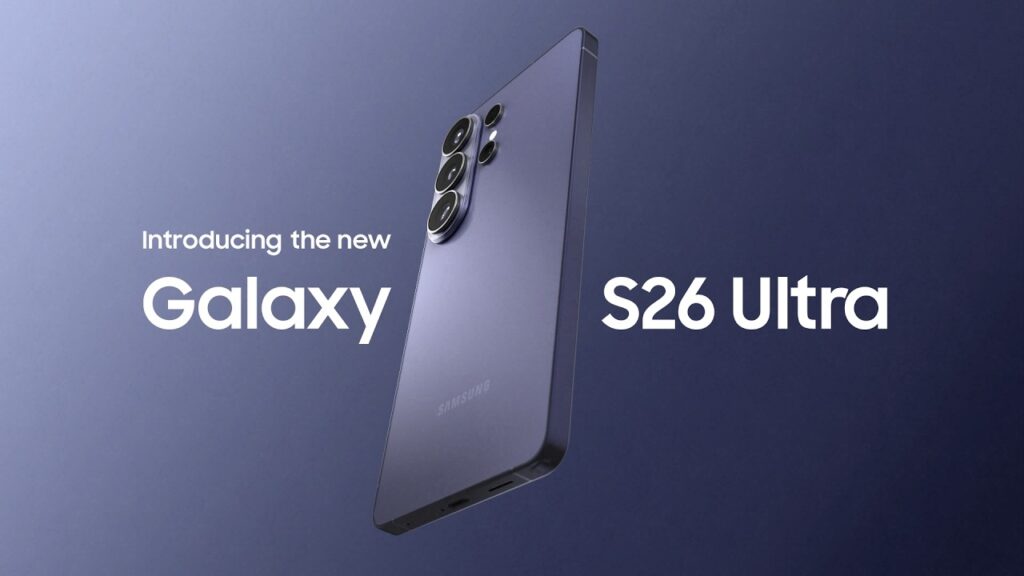
    Excitement is reaching a fever pitch with the official unveiling of the Samsung Galaxy S26 Ultra, the latest masterpiece in the Galaxy S series. Known for leading the smartphone market with innovative technology and design, Samsung has once again pushed the boundaries.

    This article provides a comprehensive summary of the Galaxy S26 Ultra’s official release schedule, design refinements, camera breakthroughs, and pricing—giving you all the answers you need if you’re considering an upgrade.


    Design: Sleeker and More Innovative

    The Galaxy S26 Ultra retains its premium identity while introducing several meaningful changes:

    1. Slimmer and Lighter Build: The S26 Ultra is roughly 0.3mm thinner than its predecessor and weighs just 214g, making it remarkably portable despite its massive 6.9-inch display.

    2. Privacy Display (Flex Magic Pixel): A world-first hardware innovation that prevents “shoulder surfing” by blacking out the screen when viewed from side angles.

    3. Refined Camera Module: The camera island has been redesigned with a more cohesive look, similar to the latest foldable aesthetics.

    4. New Color Options: Available in Cobalt Violet, Black, Sky Blue, and White. Exclusive colors like Pink Gold and Silver Shadow are available only via Samsung.com.


    Camera: Breaking New Boundaries

    The S26 Ultra continues to reign as the ultimate mobile camera, featuring significant hardware and AI upgrades.

    • 200MP Main Sensor (f/1.4): The wider aperture captures 47% more light than the S25 Ultra, drastically improving night photography and low-light detail.

    • Quad-Camera System: Includes a 50MP Ultra-Wide, a 10MP 3x Telephoto, and a 50MP 5x Periscope Telephoto lens.

    • Enhanced AI Photography: Powered by the new NPU, “ProScaler” technology uses AI to enhance color and detail, while the “Enhanced Nightography” provides steady, clear video even in the dark.


    Performance: The Pinnacle of Technology

    Under the hood, the S26 Ultra is designed for extreme power and efficiency.

    • Snapdragon 8 Elite Gen 5 for Galaxy: This customized 3nm chipset delivers a 19% boost in CPU, 24% in GPU, and a massive 39% in NPU performance compared to the previous model.

    • Stunning 6.9-inch Display: A Dynamic AMOLED 2X panel with 3,000 nits peak brightness and an adaptive 1-120Hz refresh rate.

    • Battery and 60W Fast Charging: The 5,000mAh battery now supports 60W wired charging, reaching 75% in just 30 minutes.


    Pricing and Pre-order Benefits

    In the US, Samsung has surprisingly kept the starting price of the Ultra model the same as last year, while other regions have seen slight adjustments.

    • US Price: Starts at $1,299 (256GB).

    • Korea/India Price: Starts at approximately KRW 1.8M / INR 139,999.

    • Pre-order Perks: Benefits often include a free storage upgrade (e.g., get 512GB for the price of 256GB), discounts on Galaxy Buds4, and high trade-in values (up to $900 in the US).


    Conclusion: A Leap Worth Taking

    The Samsung Galaxy S26 Ultra isn’t just a minor refresh; with its Privacy Display, f/1.4 night camera, and Snapdragon 8 Elite power, it represents a significant leap forward. If you are an early adopter, a pro photographer, or a power user who demands the best, the Galaxy S26 Ultra is undoubtedly worth the investment.

    Pro Tip: Check the official Samsung website immediately to secure pre-order bonuses, as the most popular colors and storage tiers tend to sell out fast!

  • Hello world!

    Welcome to WordPress. This is your first post. Edit or delete it, then start writing!